Skip to content
Menu

Android app

Your salon day, in your pocket

Pommette Pro is the app for practitioners. Your salon's calendar, clients, till and news, with the same data as on the web.

Get it on Google Play

For practitioners at salons that run on Pommette. Phones and tablets, Android 13 or later.

On iPhone or iPad? Pommette Pro for iPhone and iPad

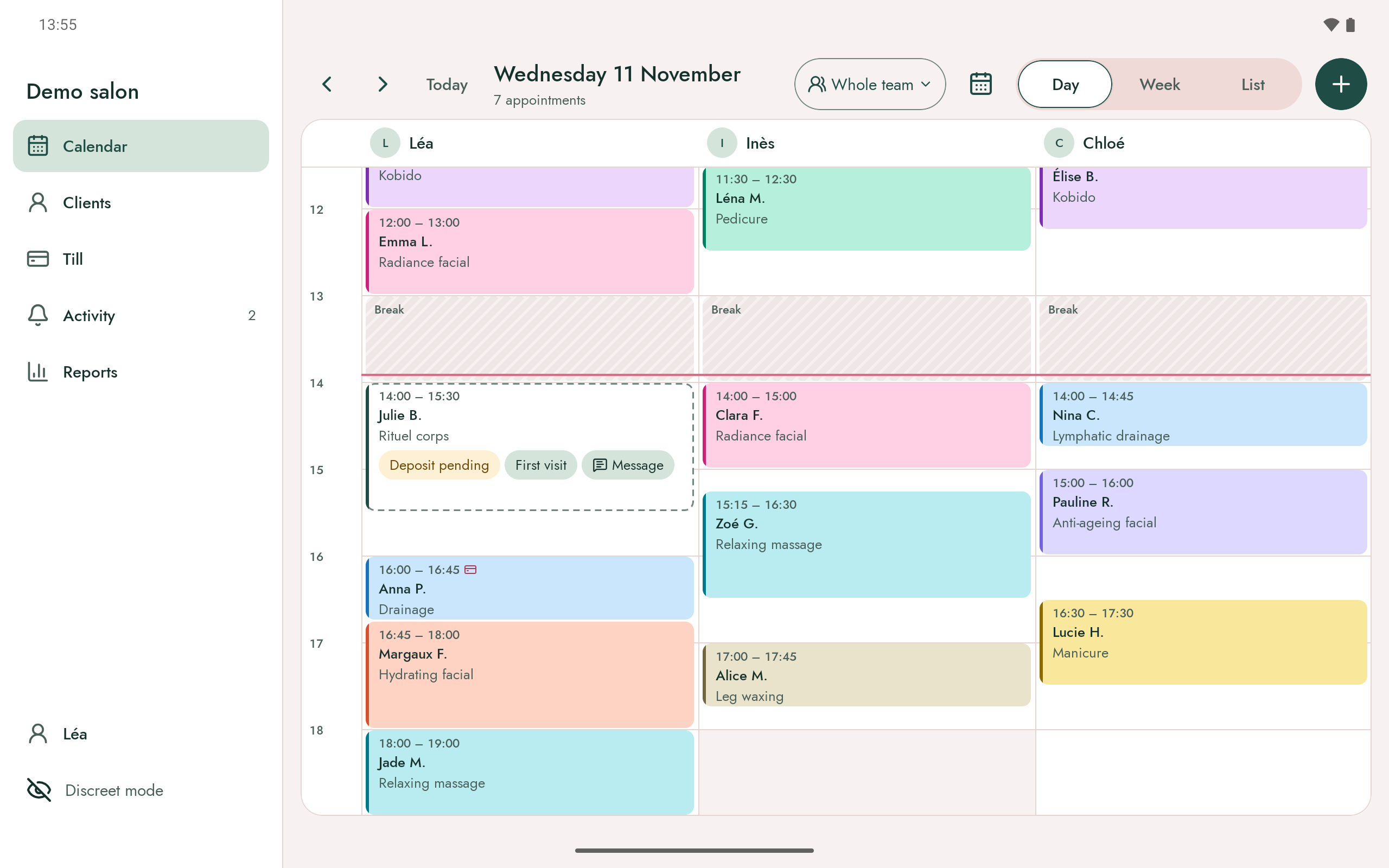
A full day's calendar on an Android tablet in landscape: one column per practitioner, hour by hour, with the sidebar.
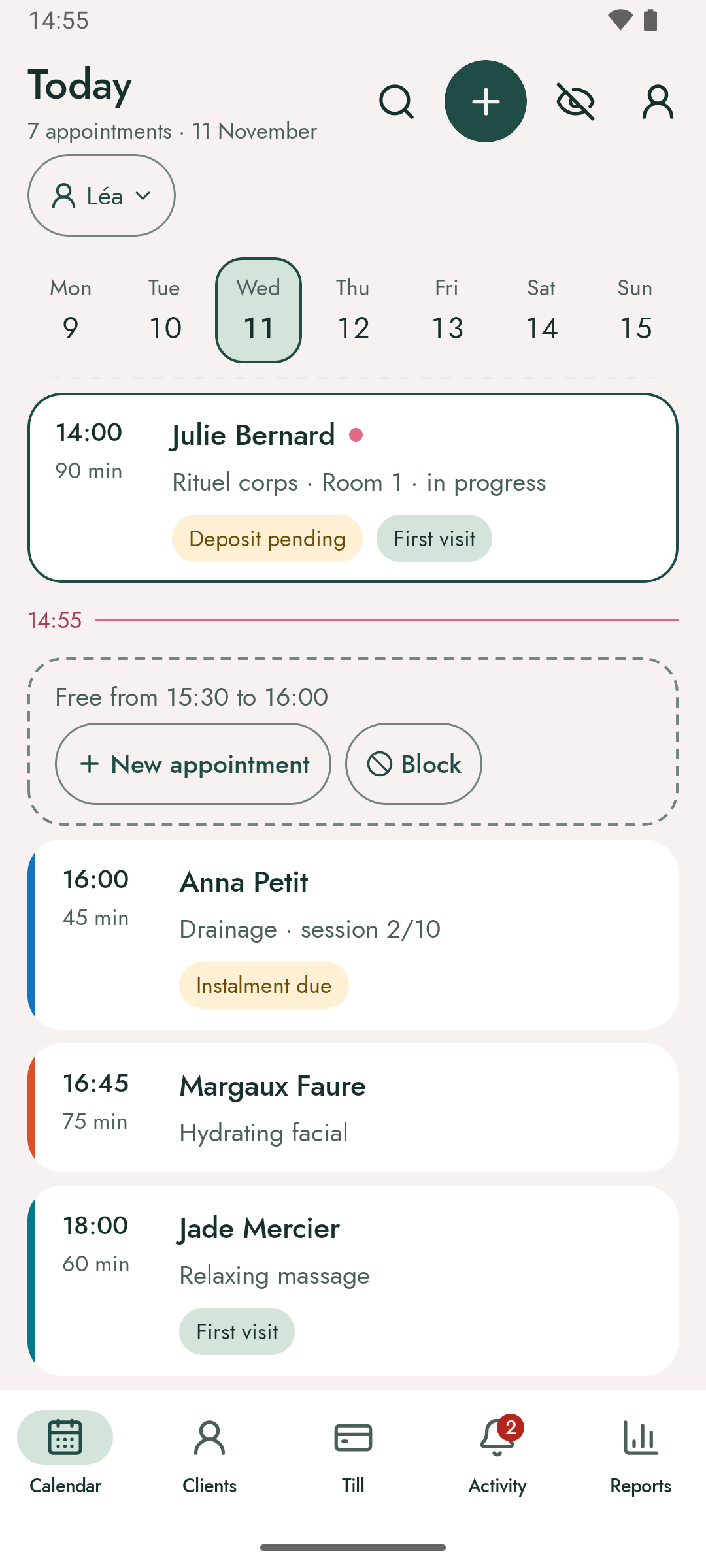
Today's calendar on an Android phone, with appointments, a free slot and a course session.

Between treatments, the essentials

A glance is enough. What you do in the app shows up on the web, and the other way round.

Calendar

Your whole day at a glance

Appointments, the room for each treatment, free slots and blocked times. Each session of a course shows its place, “session 5 of 6”, and the deposit paid.

  • Book an appointment in four steps: treatment, slot, client, summary.
  • Move, cancel, mark a no-show or block a slot, knowing what each action triggers.
  • The client can receive a confirmation by email.
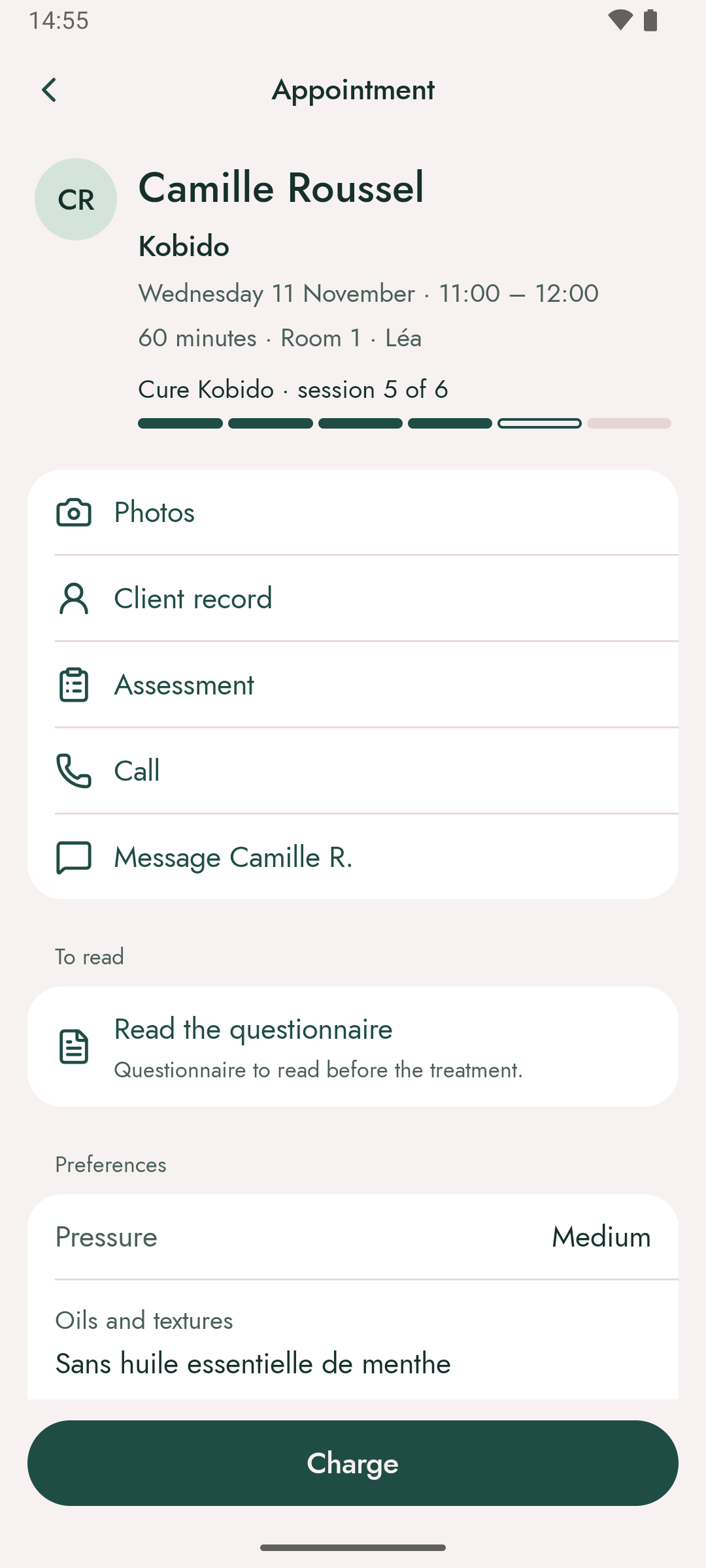
An appointment's details on Android: treatment, time, room, practitioner and course session.

Clients

From one session to the next

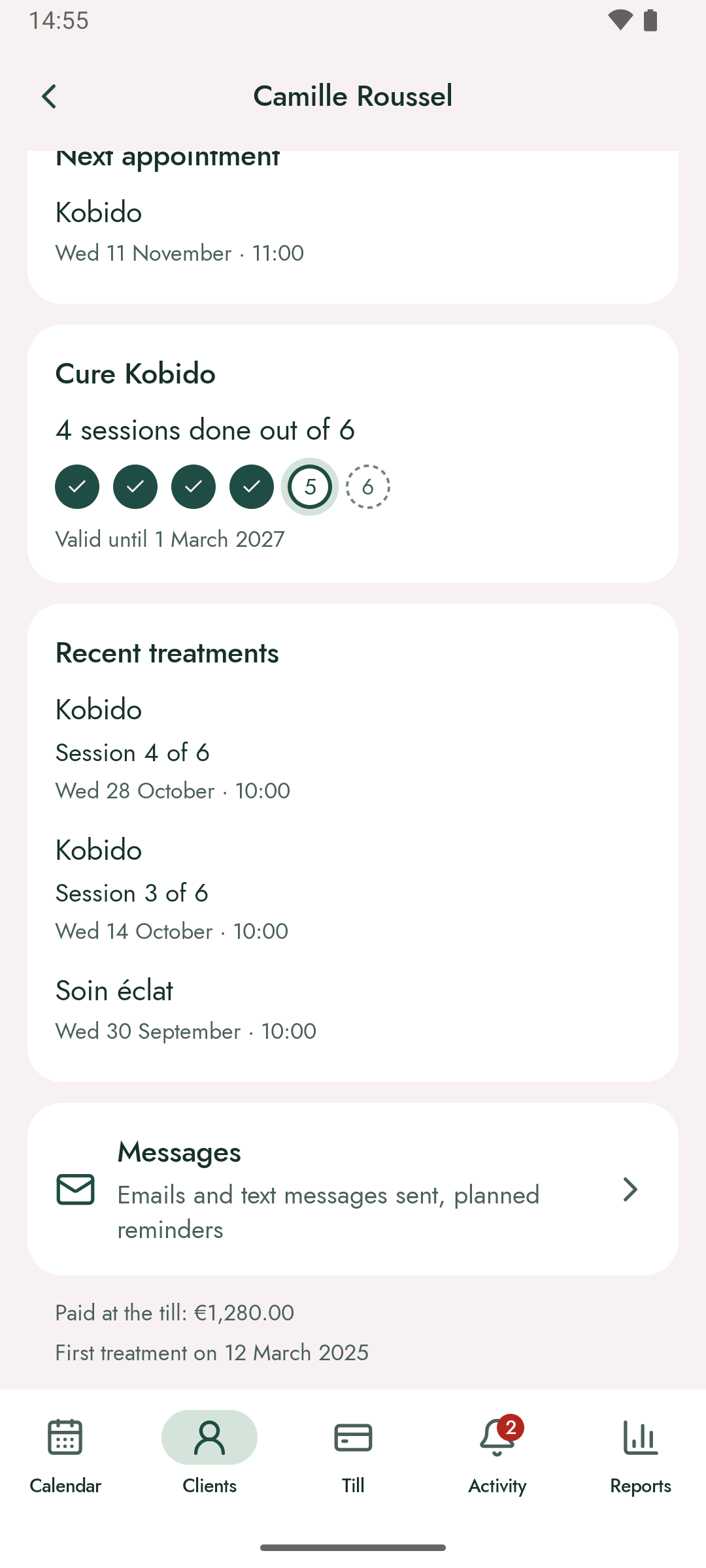
Find a client as you type: their preferences, recent treatments, course in progress and next appointment.

  • Session notes, “observed” and “advised”, by keyboard or dictation.
  • Before and after photos, with the previous one as an overlay. They never go to your gallery.
  • The questionnaire opens only when you ask for it.
A demo client's record on Android: next appointment, course in progress and recent treatments.

Till

Take payment from the appointment

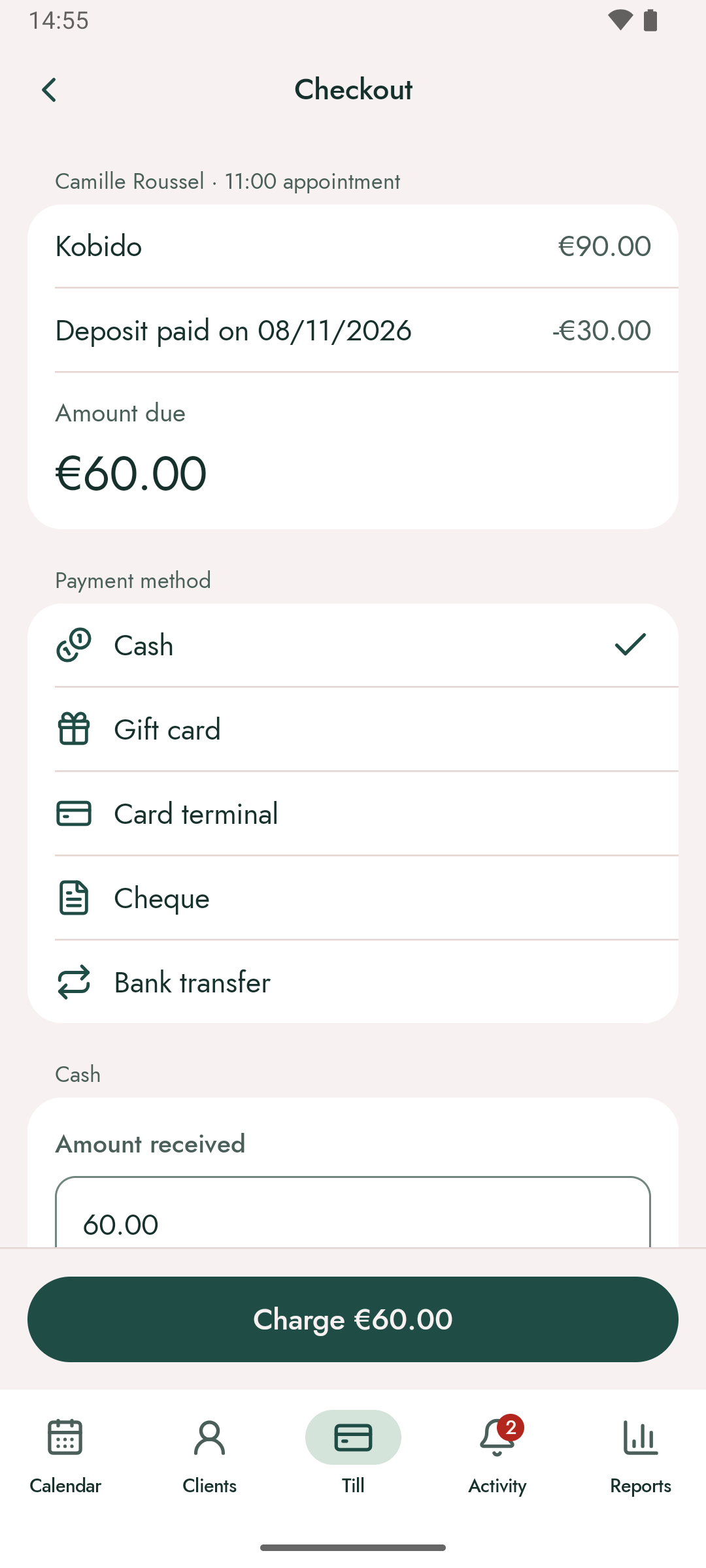
Pommette prepares the ticket, with the deposit and any promo code deducted. All that's left is to pick the payment method.

  • Cash with change to give, gift card, card on the terminal, cheque or bank transfer, depending on the methods your salon offers.
  • Several payments on one ticket, and the receipt goes by email.
  • Today's till: takings, tickets and appointments still to check out.
Taking payment for an appointment on Android: ticket ready, deposit deducted and payment methods.

Reports

Your figures, whenever you want

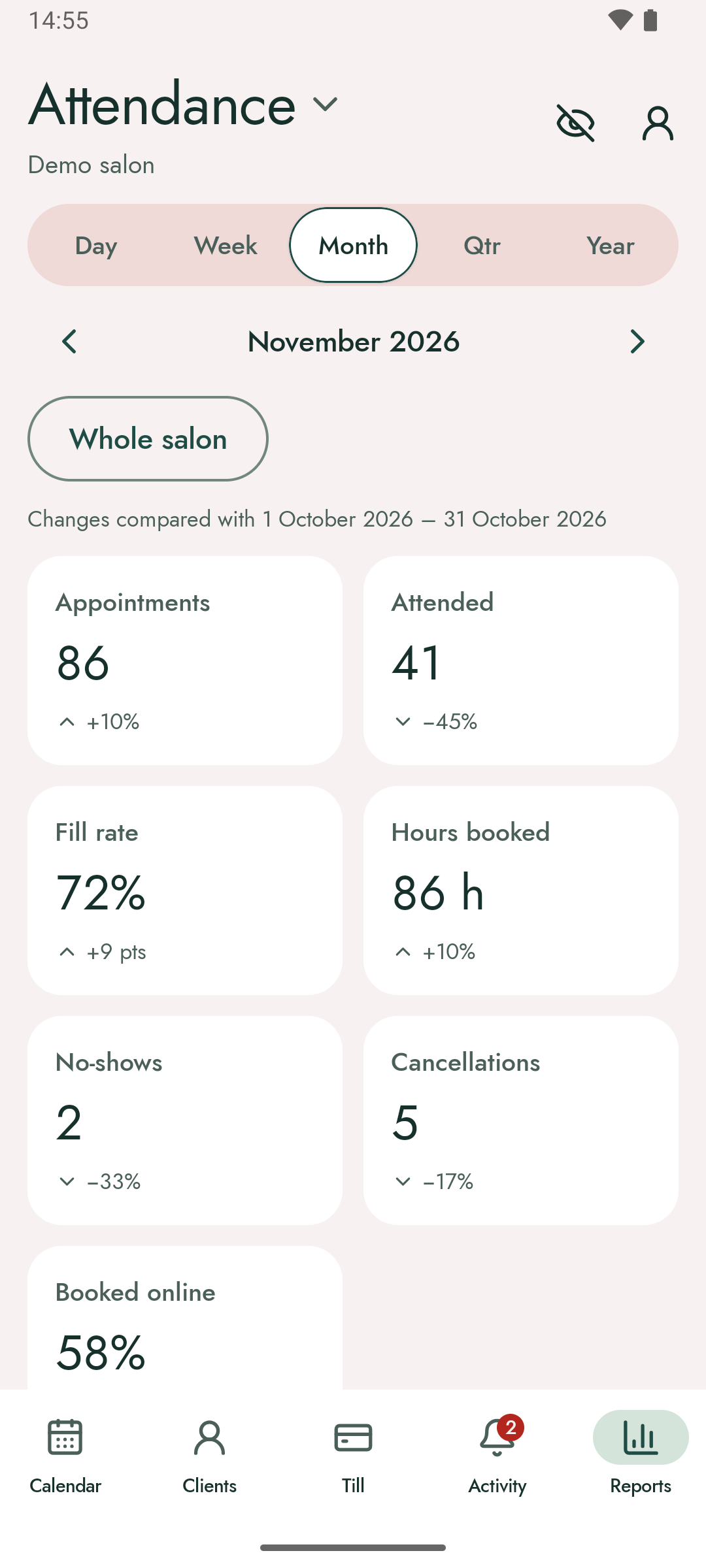
Activity, revenue, team and clients, by day, week, month, quarter or year.

  • Every figure compared with the previous period.
  • What you see depends on your role in the salon.
Reports on Android: the month's appointments, occupancy, no-shows and cancellations, compared with the previous month.

And also

  • Activity

    New appointments, cancellations, moves and alerts in the Activity feed and, if you wish, as a notification.

  • My notifications

    For each event, the app, email or text message, depending on what your salon has turned on, and quiet hours for the evening.

  • Courses and monthly payments

    An alert when a course is nearly finished or a monthly payment is declined.

  • Several salons

    Working at two salons? Switch from one to the other in the app.

On tablets

Your whole team at a glance

On an Android tablet, Pommette Pro becomes a real workstation, at the front desk as well as in the treatment room.

  • One column per practitioner, in Day, Week or List view.
  • A sidebar to move between the calendar, clients, till, activity and reports.
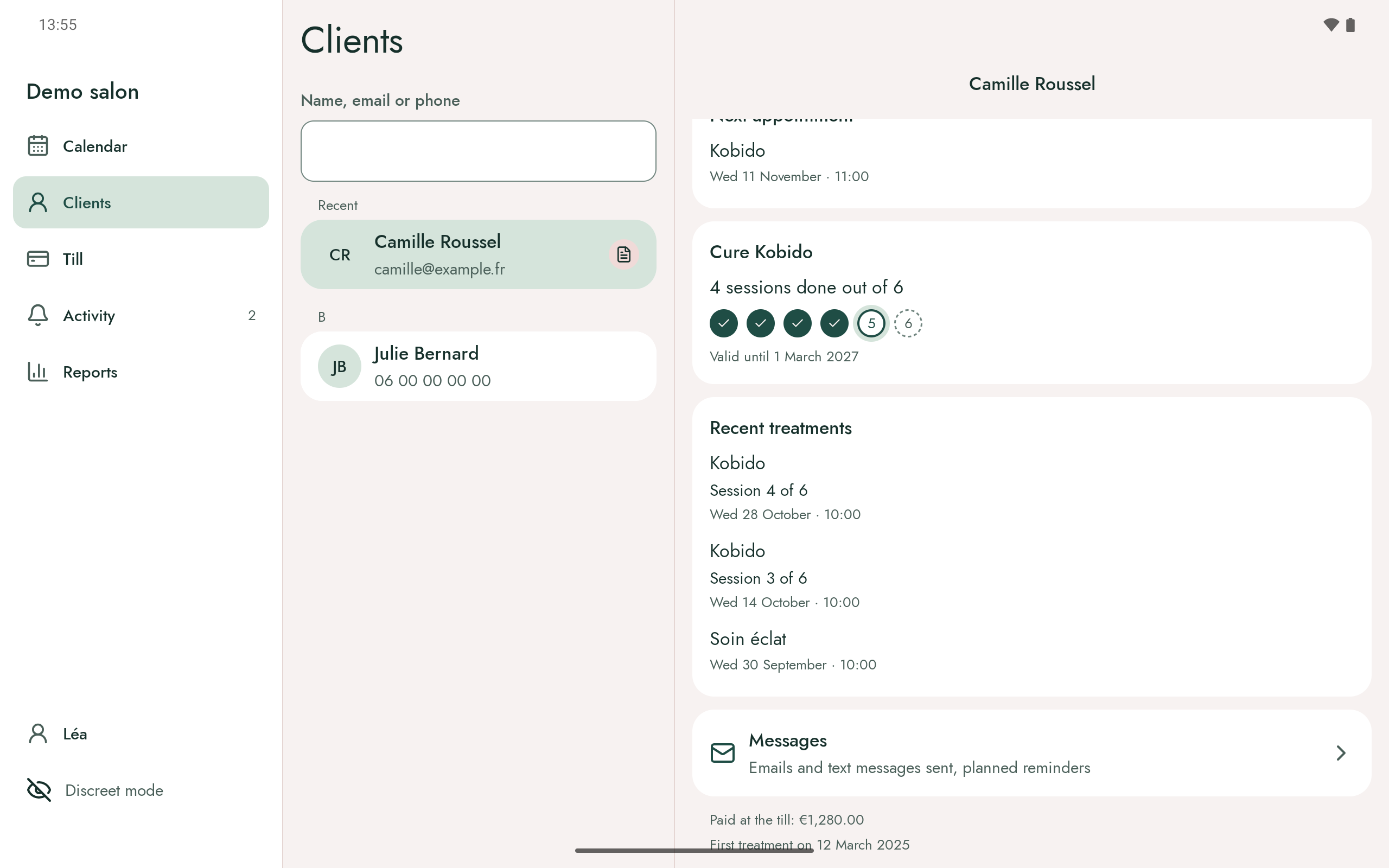
  • Clients in two columns: the list on the left, the record on the right.
Clients on an Android tablet in landscape: the list on the left, the record on the right.

What is confidential stays in the app

Your clients trust you with their skin and their health. The app is built so that none of it gets out.

Fingerprint or face to open

Fingerprint, face unlock or the device passcode to open the app, and it locks after two minutes without use.

Discreet mode

During a treatment, the screen shows only first name and initial, with no amounts and no health information. Turn it on with a tap.

Nothing medical outside the app

No health information in notifications, so never any on the lock screen.

Protected photos

Before and after photos never go to the gallery and can't be shared. Client consent is recorded in the app.

Questionnaire on request

The health questionnaire opens only when you ask for it, and every reading is logged in the access log.

Data hosted in France

The app reads your salon's data from Pommette's servers, in France. When you sign out, it erases what it kept on the device.

How to get the app

Pommette Pro is for practitioners. It opens your salon's workspace, so you need a Pommette account, created on the web.

Get it on Google Play
  1. Your salon runs on Pommette

    The owner sets up the salon on the web. If you work on your own, that's you.

  2. You have your account

    In a team, the owner invites you by email. The link lets you choose your password.

  3. You sign in

    Install Pommette Pro from Google Play, then sign in with the email address and password of your Pommette account.

Your salon doesn't run on Pommette yet?

Set up your practice on the web: 30 days free, no card needed. The app comes with your subscription.

Questions

Can my clients use the app?

No. Pommette Pro is for practitioners. Your clients book on your salon's page, in their browser, with nothing to install.

Do I need an account?

Yes. The app opens with your Pommette account, created on the web by your salon. Without an account, it shows nothing.

Which devices does it run on?

Android phones and tablets, with Android 13 or later. Pommette Pro is also available for iPhone and iPad. On a computer, Pommette opens in the browser.

Is the data the same as on the web?

Yes. The app reads and writes in your salon's workspace: an appointment booked on the phone also shows up on the web.

What shows on the lock screen?

A notification says that an appointment is coming up or has changed, with no health information. If your phone hides notification content on the lock screen, only the type of event shows.

Which languages is it in?

English and French.

Android, Google Play and the Google Play logo are trademarks of Google LLC.

Bring Pommette to your salon

Try it free

30 days free, no card needed.30% off your subscription for life for the first 50 practices to sign up.

See pricing